

How To Convert RTP into WAV file
Sometimes we need to convert the RTP packets extracted from Wireshark into .wav file, so anyone can listen the call easily for troubleshooting audio issue. Below describe the steps to convert the RTP streams into .wav audio file:
Open the extracted SIP/RTP capture of the call you want to analyze with wireshark
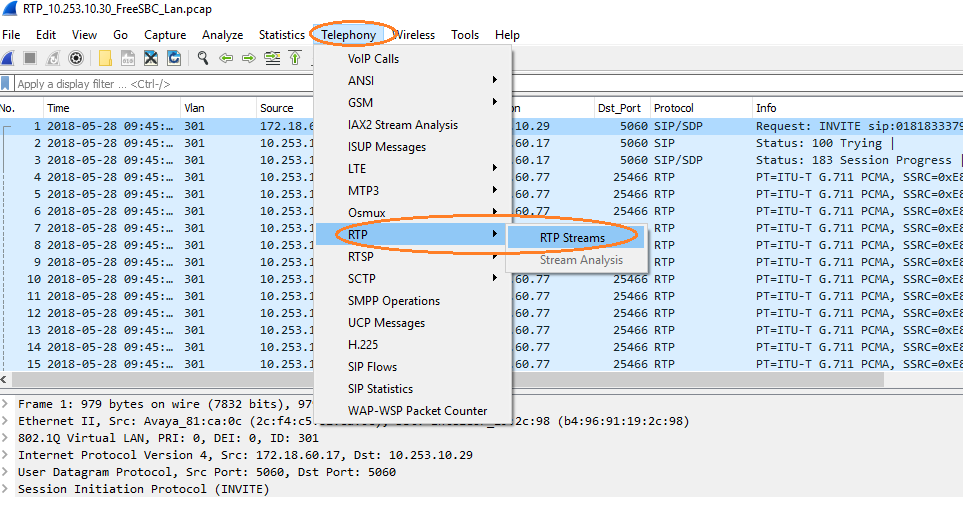
Go to Telephony -> RTP -> RTP Streams
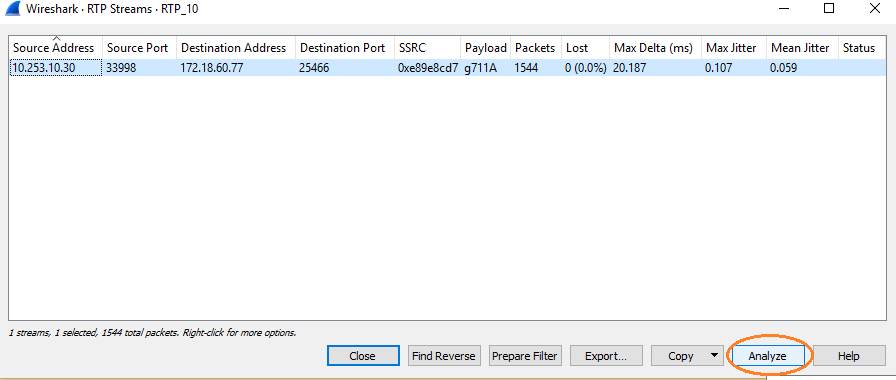
Click “Analyze” button
Save it to “Unsynchronized Forward Stream Audio”
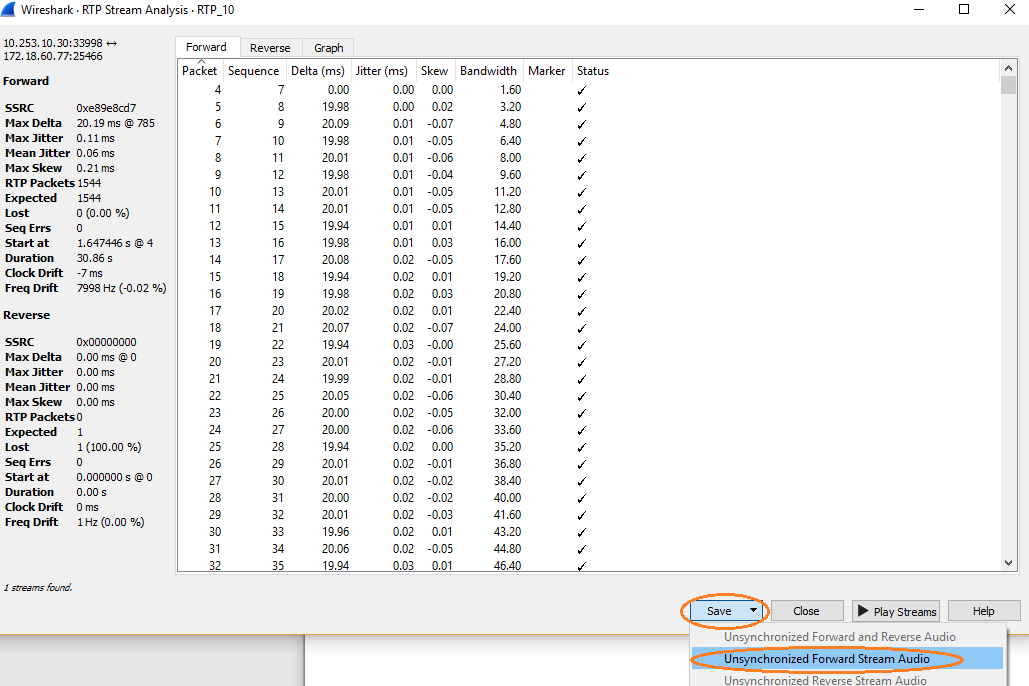
And Save as type: Raw

Now you have the rtp streams in raw format. You can use a free tool called Audacity to reformat it to .wav file
Use Audacity to reformat it to .wav file
Import the raw data to Audacity
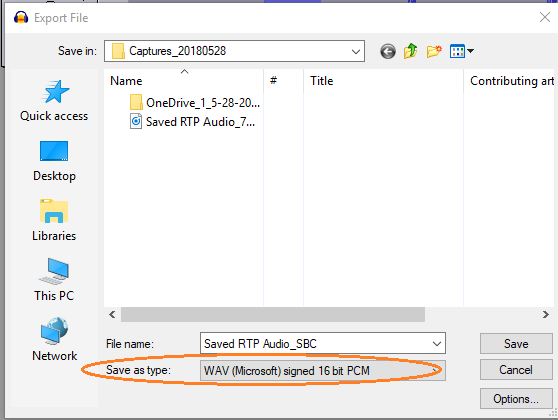
Export it and change the encoding and Sample rate
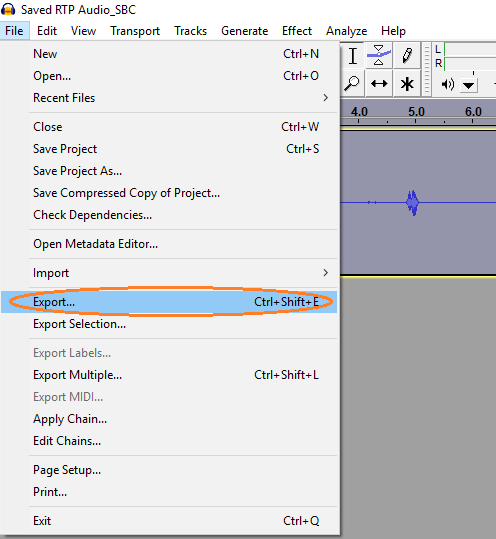
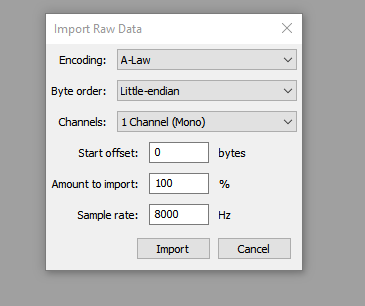
Save it as WAV file
Last updated
Was this helpful?